

Rec Room has quickly become one of the most popular virtual social experiences in the world, especially for players who enjoy multiplayer games, creative building tools, and cross-platform connectivity. Whether you’re curious about what Rec Room is, how it works, or whether it’s right for you (or your child), this guide explains everything you need to know in a simple, clear way.
Think of Rec Room as a giant digital playground.
You can dress up, play games, meet people, explore different environments, and even create your own worlds all inside one platform.
Let’s break it down step by step.
What Is Rec Room?
Rec Room is a free online social app that lets players hang out, play games, and create experiences together.
You can join from:
- Phones
- PlayStation
- Xbox
- PC
- VR headsets (Meta Quest, PSVR, SteamVR)
Because it works everywhere, almost anyone can jump in, and everyone plays together. That’s a big part of why Rec Room became so popular.
What Rec Room Offers
- A huge collection of mini-games
- Social hangout rooms
- Adventure quests
- Clubs and community groups
- A full creation system called the Maker Pen.
- Free access to all features
- Junior Mode and safety settings
It’s easy to learn, fun to explore, and surprisingly powerful once you start creating.
in VR Why It’s a Different Experience
You can play without VR, but many players truly comes alive when you enter the world wearing a headset.
Here’s what makes the VR version special:
1. Natural movement
You can:
- Wave
- Point
- Grab objects
- High-five
- Gesture while talking
This creates realistic interactions that feel more natural than standard gameplay.
2. Increased immersion
Rooms feel like actual places.
When you walk through a virtual café or stand in a laser tag arena, VR makes it feel like you’re physically there.
3. Better social presence
Talking with someone in VR doesn’t feel like talking through a screen. It feels like standing next to a real person.
4. Creator tools feel hands-on
Using the Maker Pen in VR feels like holding a real tool. You build things by moving your hands, not dragging items on a screen.
5. It’s ideal for meetups and events
Players host concerts, clubs, classes, and hangouts.VR makes these feel more interactive and personal.
The VR version isn’t required, but it adds a sense of connection that traditional platforms can’t match.
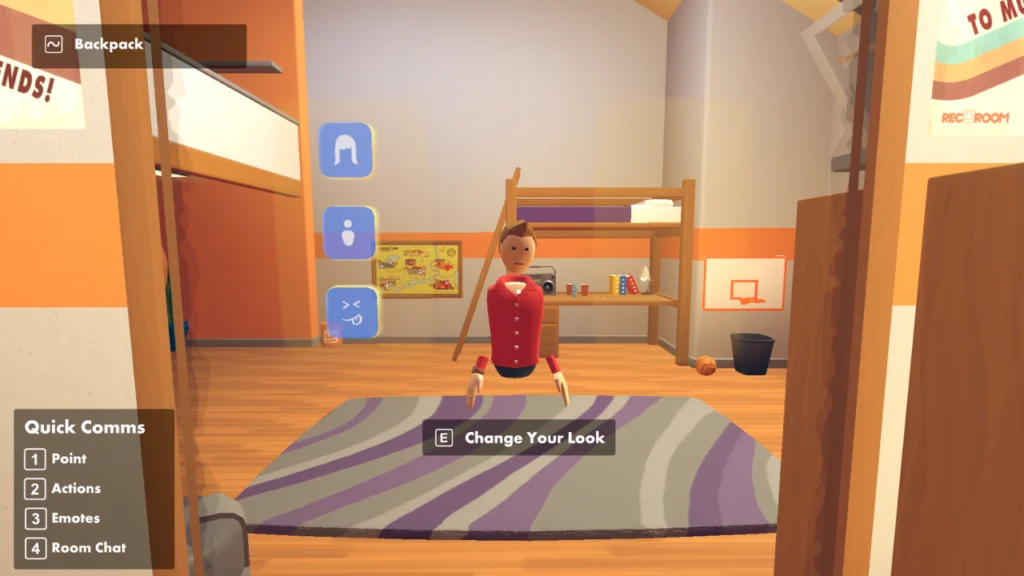
Avatar Customization
Rec Room’s avatars are simple, friendly, and expressive. You can customize many things, such as:
- Facial features
- Hair
- Skin tone
- Outfits
- Accessories
- Glasses
- Hats
- Seasonal costumes
The style is intentionally cartoon-like.
This makes the atmosphere lighter, more welcoming, and safer, especially for younger users.
Creating an avatar you’re comfortable with helps you feel grounded and confident in the virtual space.
What You Can Do in the Rec Room
It has thousands of “rooms,” each offering something different. They fall into several major categories:
1. Mini-Games and Competitive Activities
These are fast, fun, and easy to jump into.
Popular examples include:
- Paintball
- Dodgeball
- Laser Tag
- Soccer
- Bowling
- Disc Golf
- Parkour maps
- Rec Royale (battle royale mode)
These games are great for quick sessions or group play.
2. Adventure Quests
Rec has cooperative story quests where players team up to defeat enemies, solve puzzles, and complete missions.
Some well-known quests include:
- Quest for the Golden Trophy
- Journey to the Forbidden Temple
- The Isle of Lost Skulls
These quests are popular among teams and offer a shared adventure experience.
3. Social Hangout Spaces
Not everything is about gameplay. Many players join just to chill.
Common hangout rooms include:
- Cafés
- Chill lounges
- Music rooms
- Dorm rooms
- Role-play environments
- Parks
- Virtual clubs
These spaces are designed for conversation, meeting new people, and relaxing.
4. Clubs and Communities
The Room supports community groups based on interests like:
- Art
- Building
- Music
- Gaming
- Role-play
- Fitness
- Study groups
- VR culture
Clubs help players find like-minded people and join recurring events or meetups.
5. Live Events and Meetups
Room hosts:
- Creator classes
- Gameshows
- Concerts
- Tournaments
- Workshops
- Special themed events
These events are accessible from any device and bring players together for unique experiences.
6. Creating and Building Your Own Rooms
One of the biggest features of this Room is the ability to create your own content.
Using the Maker Pen, players can design:
- Fully interactive rooms
- Custom games
- Props & objects
- Environments
- Logic systems
- Story-driven worlds
This allows anyone — even complete beginners — to become creators.
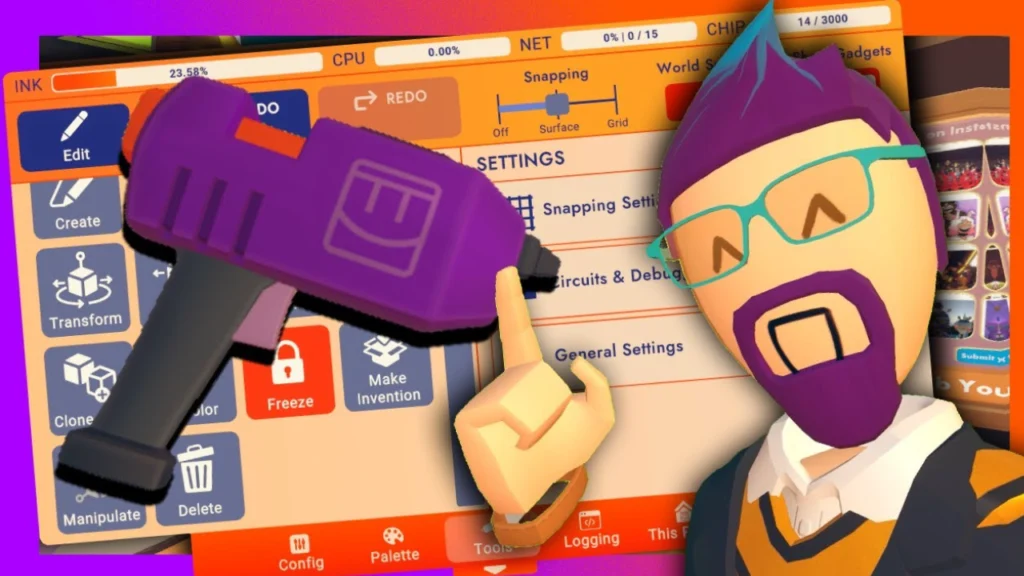
Image Alt Text: A player using the Rec Room Maker Pen to build a complex virtual object.
The Maker Pen:The Heart of Room Creation
The Maker Pen is a visual building tool used inside Room.
It’s flexible, intuitive, and doesn’t require coding.
What You Can Build
- 3D shapes
- Architecture
- Maps & levels
- Puzzles
- NPCs
- Game mechanics
- Teleporters
- Roleplay worlds
Players can publish their rooms publicly. Some creations become extremely popular, attracting thousands of visitors.
Why Players Love It
- Learn-as-you-go design
- No programming required
- Works in VR and non-VR
- Build with friends
- Supports collaboration
Creators often say the Maker Pen helped them improve design skills, learn teamwork, and even consider careers in game development.
Cross Platform Support Play Anywhere
Rec Room supports the following platforms:
- Meta Quest / Quest 2 / Quest 3
- PlayStation
- Xbox
- SteamVR
- PC (Steam)
- iOS / Android mobile devices
All players can interact together regardless of device.
This makes Rec Room extremely accessible for families, friend groups, and classrooms.
Safety, Moderation & Parental Controls
Because Rec Room includes younger players, safety is a major priority.
Key Safety Features
- Junior Mode
- No voice chat
- No text chat
- No custom avatars from older players
- Strictly moderated
- Customizable privacy settings
- Voice moderation system
- Report, mute, and block tools
- Room moderation features
- Clear community guidelines
Parents can monitor activity, adjust safety features, and ensure their child’s experience stays appropriate.
How to Download Rec Room on PC VR
This works for VR headsets like Valve Index, HTC Vive, Windows MR, and Meta Quest via Link/Air Link.
Step 1: Install Steam
- Go to steampowered.com on your PC.
- Click Install Steam.
- Run the installer and follow the setup steps.
- Create or log into your Steam account.
Step 2: Set Up SteamVR
- In Steam, search for SteamVR.
- Download and install SteamVR.
- Connect your VR headset to your PC (cable or wireless, depending on the device).
- Launch SteamVR and make sure your headset and controllers are detected.
Step 3: Download Rec Room on Steam
- Open Steam on your PC.
- Click on the Store tab.
- In the search bar, type “Rec Room”.
- Click on Rec Room from the results.
- Click the Play Game or Install button (it’s free).
- Choose your install location and click Next.
- Wait for the download and installation to finish.
Step 4: Launch in VR
- Make sure SteamVR is running and your headset is ready.
- In Steam, go to your Library.
- Select Rec Room.
- Click Play and choose Play in VR.
- Put on your headset — you’ll load directly into Rec Room in VR.
- Log in or create a Rec Room account the first time you open it.
How to Download on PlayStation VR
You’ll need:
- A PS4 or PS5 (depending on headset),
- A PSVR or PSVR2 headset properly set up,
- An internet connection.
Step 1: Open the PlayStation Store
- Turn on your PlayStation and log into your user profile.
- Make sure your PSVR / PSVR2 is correctly connected.
- From the main menu, go to the PlayStation Store.
Step 2: Search for Rec Room
- In the Store, go to the Search option.
- Type “Rec Room” using the controller or keyboard.
- Select Rec Room from the search results.
Step 3: Download and Install
- On the Rec Room page, select Download or Add to Library (it’s free).
- Wait for the download and installation to complete.
- You’ll see a notification when it’s ready.
Step 4: Launch Rec Room in VR
- Put on your PSVR / PSVR2 headset.
- From your PS home screen, go to Games > Rec Room.
- Select Play.
- Once inside, follow the setup steps to log in or create a Rec Room account.
Install Rec Room on Mobile Too
Even though you asked about VR, you might still want Rec Room on your phone as well for times when your headset isn’t around.
For Android:
- Open the Google Play Store.
- Search for “Rec Room”.
- Tap Install.
- Open the app and log into your existing Rec Room account to sync your progress.
For iOS:
- Open the App Store.
- Search for “Rec Room”.
- Tap Get, then Install.
- Launch the app and log in.
Why Room Stands Out Among Other Social Games
Here are the biggest strengths of Rec Room:
- Works on almost every device
- VR support is outstanding.
- Friendly, approachable art style
- Thousands of user-created rooms
- Free to access
- Easy for beginners
- Deep creation tools
- Active community events
- Strong safety settings
Compared to similar platforms like Roblox or VRChat, Rec Room balances creativity with safety, making it suitable for a wide audience.
Conclusion
Rec Room is more than a game it’s a flexible, friendly, interactive virtual world where players can explore, build, and connect. With its powerful creation tools, cross-platform compatibility, and focus on safety, it stands out as one of the most accessible and welcoming social apps available today.
Whether you’re curious about VR, interested in game creation, or simply want a fun place to spend time with friends, Rec Room offers endless possibilities.
Frequently Asked Questions
Is Rec Room free?
Yes, the app is completely free. Optional purchases include clothing and cosmetic items.
Do I need VR to play?
No. Rec Room works on phones, consoles, and PCs without VR. VR is optional.
Does Room support cross-play?
Yes. All platforms connect to the same universe.
Is Room safe for kids?
Rec Room includes Junior Mode, parental controls, content filters, and active moderation.
Can I create my own world or game?
Yes. The Maker Pen allows you to design rooms, games, and interactive experiences.
Can adults enjoy Rec Room?
Absolutely. Many adults use Rec Room for socializing, building, hosting clubs, or enjoying VR environments.