Virtual Reality is an exciting technology that immerses users in a simulated environment, offering an interactive, lifelike experience. From gaming to training simulations and medical applications, VR is transforming industries by allowing users to experience and interact with a digital world as if it were real. In this article, we will explore how Virtual Reality works, from the basic principles behind it to the technology that makes it possible, while keeping the content both credible for Google and valuable to users.
What is Virtual Reality?
Virtual Reality refers to a technology that creates an artificial environment through software, typically experienced through a headset or specialized equipment. This environment is interactive, allowing the user to engage with it in real time, often making them feel as though they are part of the digital world. The immersive nature of VR relies on visual, auditory, and sometimes tactile stimuli that create a convincing sensory experience.
The Core Components of Virtual Reality
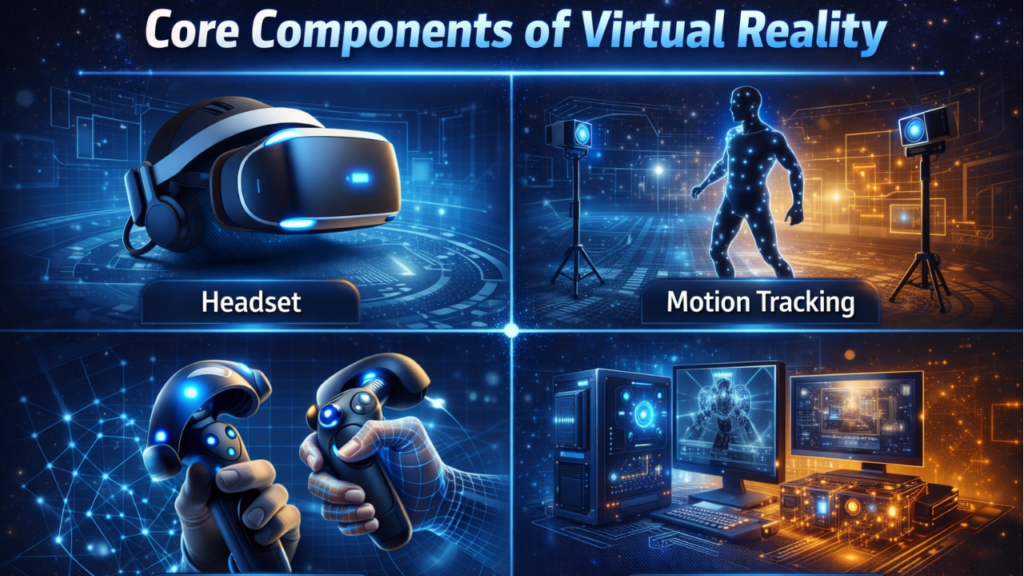
To understand how VR works, it’s essential to break down its core components. VR systems generally consist of the following key elements:
1. Hardware Components
- Headset (HMD – Head-Mounted Display): The headset is the most crucial piece of hardware in VR. It contains two small screens (or one large screen split into two) that display images to the user’s eyes. These images are rendered based on the user’s movements, creating the illusion of being inside a 3D environment.
- Tracking Sensors: VR systems use tracking sensors such as accelerometers, gyroscopes, and external cameras to track the user’s head movements. This allows the system to adjust the display and perspective in real-time, making it feel as if the user is truly immersed in the virtual world.
- Controllers and Input Devices: To interact with the virtual environment, users typically use controllers, motion sensors, or gloves. These devices allow users to perform actions like picking up objects, pressing buttons, or navigating the VR world.
- Audio Systems: Sound plays an essential role in VR experiences, enhancing immersion. Some headsets come equipped with built-in headphones or spatial audio technologies that adjust sound based on the user’s movement, mimicking how sound behaves in real life.
2. Software Components
- Rendering Software: VR rendering software generates the 3D images and environments that the user sees. It must render these images at a high rate to ensure smooth, seamless interaction. The software must account for the user’s movements, adjusting the visuals to create a lifelike experience.
- Simulation Software: Simulates real-world physics, motion, and interactions within the virtual environment. It enables users to experience the physical world, such as objects moving or reacting to their actions, as they would in reality.
3. Connectivity and Data Processing
- Processing Unit: The computer, console, or mobile device that powers the VR headset is a critical component. It processes sensor data and performs the complex calculations needed to render the virtual environment in real time.
- Connectivity: VR headsets can be either tethered or wireless. Tethered headsets rely on cables to connect to a computer or console, while wireless headsets use Wi-Fi or Bluetooth to communicate. The quality of connectivity affects latency and frame rates, both of which are crucial for maintaining immersion and avoiding motion sickness.
How Virtual Reality Works
Now that we have a basic understanding of the components, let’s explore the process by which VR works
1. Creating the Virtual Environment
The first step is to create the virtual world or environment in which the user will immerse. This environment is developed using 3D modeling and design software that creates objects, landscapes, and characters that make up the digital world. The complexity of the virtual world depends on the application, whether it’s a simple VR game or a highly detailed simulation.
2. Tracking Movements and Adjusting the Display
As the user wears the VR headset, its sensors track head movements. For example, if the user turns their head to the left, the VR system will adjust the display so that the view inside the headset shifts accordingly. This real-time tracking ensures that the virtual environment reacts to the user’s actions, creating a sense of presence.
The display inside the headset consists of two screens (one for each eye) that show slightly different images to create a stereoscopic 3D effect. The system adjusts these images based on the user’s movements, creating a convincing illusion of depth.
3. Interaction with the Virtual World
Once inside the virtual environment, users can interact with the objects and elements using controllers or other input devices. These controllers have sensors that detect the user’s movements, allowing them to pick up virtual objects, press buttons, or perform other actions. The system processes the input and updates the virtual world accordingly, enabling a seamless interaction.
4. Feedback and Immersion
The VR system uses feedback mechanisms like audio and haptic (touch) feedback to enhance the user experience. For example, if a user picks up a virtual object, they might feel vibration or resistance through the controller, simulating the sensation of holding an object. Similarly, spatial audio adjusts according to the user’s position and movements, further enhancing the sense of immersion.
In some VR systems, advanced haptic suits or gloves can simulate additional sensory feedback, such as pressure, temperature, and texture, making the experience even more lifelike.
5. Rendering and Latency Considerations
Rendering the virtual world quickly and accurately is crucial for maintaining immersion. VR systems need to render high-resolution images at a high frame rate (typically 60-120 frames per second). Low latency, the delay between a user’s action and the system’s response, is also essential. Any delay can cause disorientation, nausea, or motion sickness. To combat latency, VR systems rely on fast processing and real-time rendering.
The Importance of Credibility and Value in VR Content
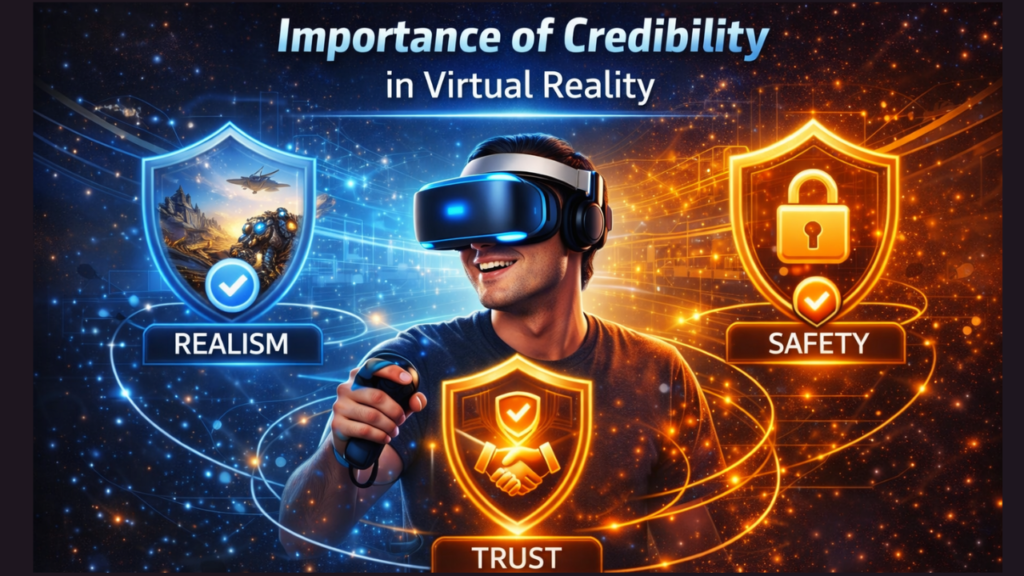
For VR content to be credible and valuable, it must be designed with the user in mind. Here are a few key principles to ensure the best experience:
- Credibility for Google: VR content should provide accurate, well-researched information. This can be achieved by ensuring that all claims about VR technology and its applications are backed by reliable sources, such as scientific research or industry reports.
- Valuable for Users: VR experiences should be immersive, engaging, and educational, offering real value to users. Whether it’s for gaming, training, or simulation, the virtual environments should solve real-world problems or provide meaningful entertainment.
- User-Focused Design: The content should be easy to navigate and user-friendly. Intuitive controllers, responsive interactions, and smooth rendering are all crucial in ensuring a positive VR experience.
Applications of Virtual Reality
VR technology has applications across a variety of industries:
- Gaming and Entertainment: VR enables fully immersive gaming experiences, allowing players to interact with the game world as if they were physically there.
- Education and Training: VR can simulate real-life scenarios for training, such as medical procedures or piloting aircraft, providing an interactive learning experience.
- Healthcare: VR is used for pain management, therapy, and surgical planning, enabling visualization of complex procedures and practice without risk.
- Real Estate and Architecture: VR can offer virtual tours of properties or architectural designs, helping clients visualize spaces before construction.
Conclusion
Virtual Reality is a groundbreaking technology that transforms how we interact with the digital world. By understanding how VR works and the components that enable it, users can fully appreciate the immersive experiences it offers. Whether used for entertainment, education, or professional purposes, VR is paving the way for new and innovative ways to engage with digital content. By adhering to the principles of credibility and value, VR content can be both informative and user-friendly, meeting the needs of a broad audience while also meeting SEO and accessibility standards.
This guide aims to provide a clear, comprehensive understanding of VR technology, making it both informative for Google and valuable to users exploring this fascinating world of immersive digital experiences.
FAQs
· How does VR work step by step?
· VR works by first creating a virtual environment using specialized software. The user wears a headset with two displays (one for each eye), and sensors track head movements. As the user moves, the VR system adjusts visuals and audio to provide an immersive experience. Input devices, such as controllers or gloves, enable interaction with the virtual world.
· What is the science behind virtual reality?
· The science behind VR is based on visual perception and the brain’s ability to interpret sensory inputs. By presenting two slightly different images (one to each eye) and tracking movements, VR tricks the brain into perceiving depth and feeling immersed. Advanced computing and rendering software work in tandem to create real-time, interactive environments.
· How to fix Steam VR not working?
· To fix Steam VR issues, try restarting the system and Steam VR software. Check for any cable disconnections, ensure the headset is powered on, and update drivers. You may also need to verify Steam VR settings and check for system compatibility or conflicts with other software.
· What is the longest someone has stayed in VR?
· The longest time someone has stayed in VR is around 35 hours. This record was set by a team attempting a marathon VR experience. However, extended VR sessions can lead to discomfort and health concerns, so it’s advised to take regular breaks.
· What happens if you play VR for a long time?
· Playing VR for extended periods can lead to discomfort such as eye strain, headaches, and dizziness. It can also cause VR fatigue or motion sickness due to the disconnect between visual inputs and physical movement. Taking frequent breaks is essential to avoid these issues.
· What game takes 9600 hours?
· A game like Warframe has been known to take over 9600 hours to fully complete, especially for players aiming for mastery in every aspect, such as leveling up all items, completing every challenge, and unlocking all content. Some multiplayer games, like World of Warcraft, also see players accumulate similar extensive playtime.