
By 2025, Augmented Reality has become a widely adopted transformative technology in education, providing immersive and fully interactive learning experiences. With AR apps for education, the classroom is no longer a central nervous system designed to enable learning based solely on predictable models. It has taken on an interactive form, adaptively presenting content in ways we never even thought were possible. In this article, I will guide you through 16 top AR apps for students in 2025, which demonstrate how immersive learning experiences can enhance comprehension efficiency and retention across various educational subjects.
Introduction: How AR is Revolutionizing Student Learning
AR has finally arrived, and it is changing education for students in 2025. By layering digital objects over the physical world, AR education apps give students a more interactive way of learning that connects theoretical concepts to real-world uses. Whether students are exploring interactive 3D models of the human body, traveling to historic sites for a virtual field trip, or solving math problems in three dimensions, AR is revolutionizing learning more than conventional approaches.
In reality, over 45% of US classrooms have adopted AR for learning in US schools and global trends are looking just as voracious. With a varied classroom of learners, from kinesthetic to visual, Teachers are utilizing AR apps for students more and more to cater for learners’ diverse needs.
Let’s outline 16 of the top AR apps for students by 2025 and see how they are revolutionizing learning for the better.
Top 16 AR Apps for Students in 2025
1. Quiver: 3 D Augmented Reality Colouring App
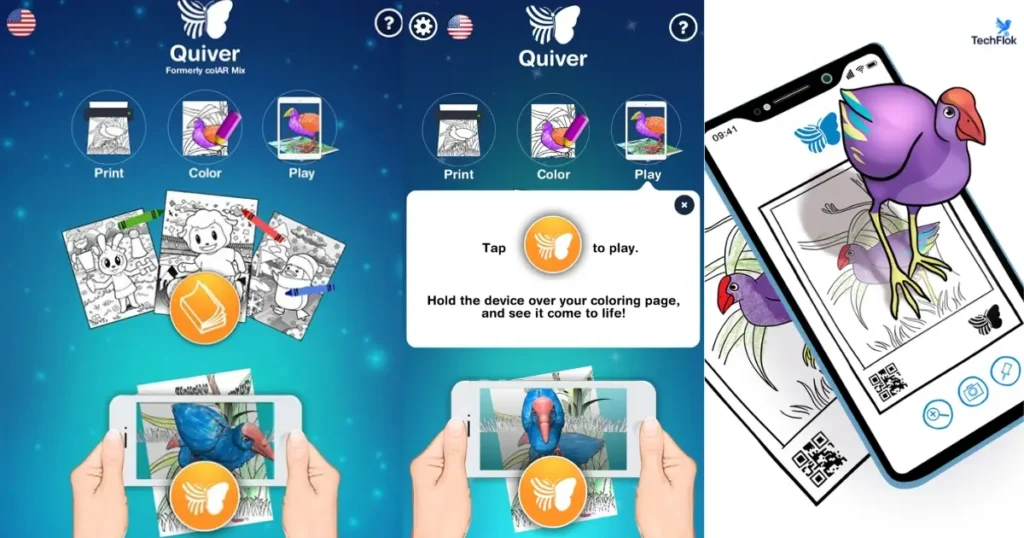
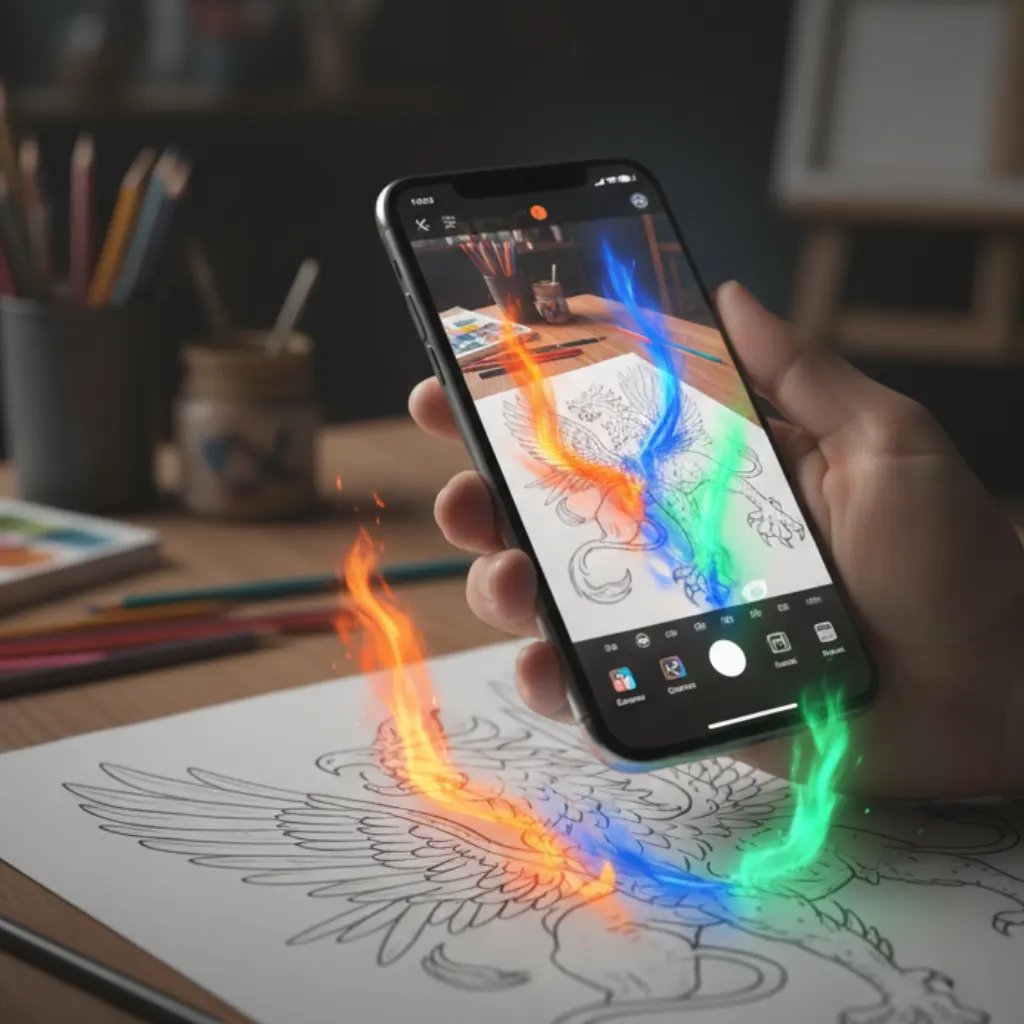
Quiver is an Augmented Reality colouring application that brings your coloring to life with fantastic interactive 3D coloring pages. Users can color pictures of cells, animals, or even maps and see the images come to life with vibrant augmented reality (AR). This app is ideal for younger learners who want a fun, visual way to explore scientific concepts and enhance their understanding of the world.
Key Features
AR Integration: After coloring a printed page, users can scan it with the Quiver app to animate their artwork in 3D.
Educational Content: The app includes a variety of coloring pages covering subjects like science, math, geography, and animals, often accompanied by quizzes and interactive elements.
User Interaction: Students can interact with their animated creations, enhancing engagement and learning.
Multi-Device Access: Through an education subscription, Quiver content can be accessed across multiple devices in a classroom setting.
Educational Benefits
Enhanced Learning: Combining creativity with technology helps reinforce educational concepts and improve retention.
Engagement: The interactive nature of AR keeps students motivated and interested in learning activities.
Accessibility: Quiver’s content is designed to be accessible for a wide range of learners, including those with special educational needs
· Best For: Elementary students
· Price: Free (with some paid content)
· Set Up: Scan your coloring page to see the AR experience come in life.
2. Elements 4D: Chemistry in Action
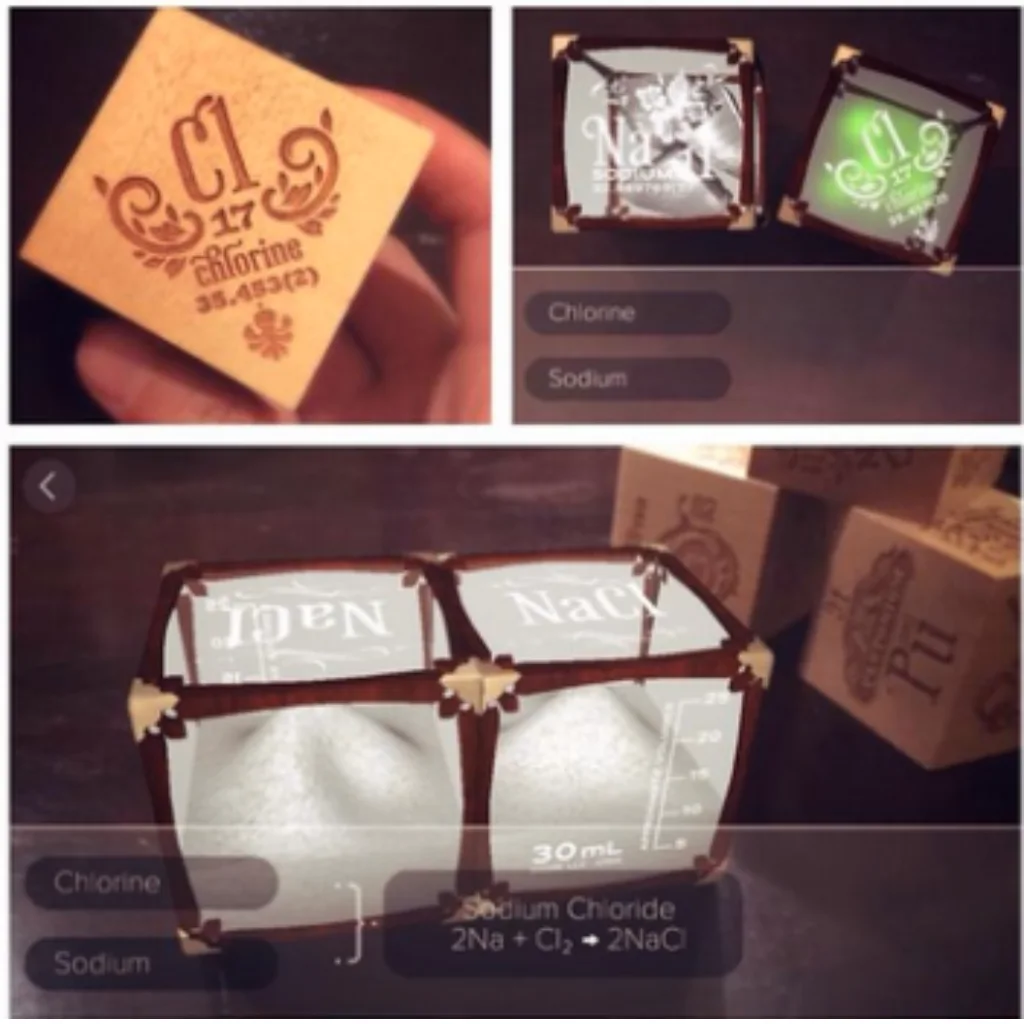
Developed by DAQRI, Elements 4D allows students to explore the building blocks of chemistry by combining virtual elements. This app enables students to see how elements react and interact, offering an immersive way to understand chemical reactions.
- Best For: Middle and high school students
- Cost: Free
- Set up: Print and assemble the trigger blocks to see the reactions unfold.
3. Blippar: Create and Explore AR Content
Blippar allows students and teachers to create their own AR experiences. With this tool, you can bring magazines, books, and even static images to life, turning traditional materials into interactive learning tools.
- Best For: All educational levels
- Cost: free basic version; premium is available.
- Setup: Scan triggers to access multimedia content
4. Arloon Plants: Explore Plant Biology
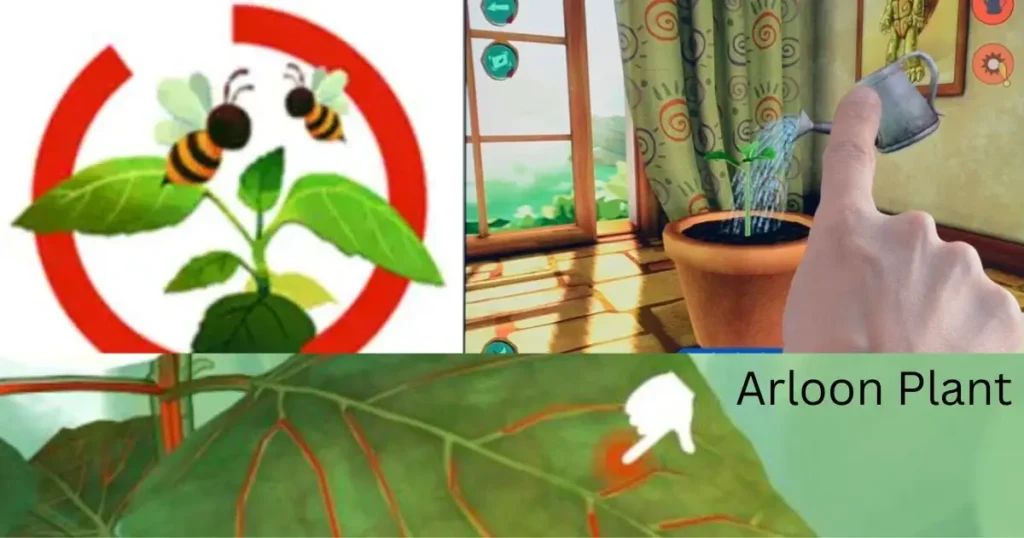
Arloon Plants is an excellent app for exploring plant biology. Students can interact with 3D models of plants, observing their growth and internal structure in real time. This AR tool is perfect for science lessons where physical plant observation isn’t feasible.
- Best For: High school students
- Cost: Paid
- Setup: Scan the trigger to activate plant growth and study parts
5. Aurasma: Create and Share AR Experiences
Aurasma is a popular AR app for creating personalized educational experiences. Teachers and students can upload images or videos that trigger AR content, such as 3D models or videos, helping bring lessons to life.
- Best For: All levels.
- Cost: Free basic version
- Setup: Create triggers and upload content to share AR experiences
6. Math Alive: An Augmented Reality Tool for Early Numeracy
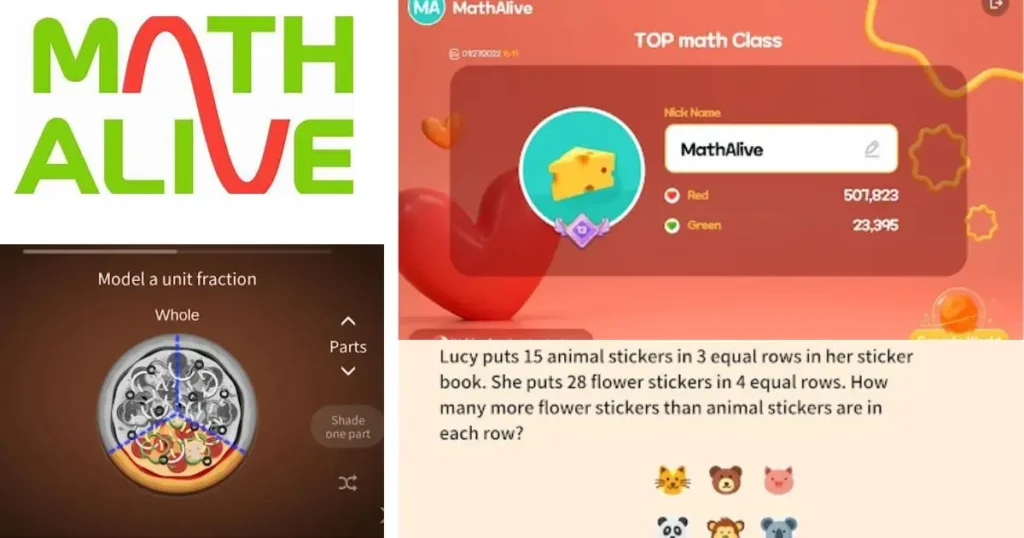
Math Alive is a fantastic tool for early learners. Using special cards and AR software, this app helps students practice counting, number recognition, and basic math skills in an interactive way. It’s a fun way to teach foundational math concepts to younger students.
- Best For: PreK-3 students.
- Cost: Paid
- Setup: Place trigger cards under the camera to start the AR experience.
7. GeoGebra AR: Visualize Complex Math
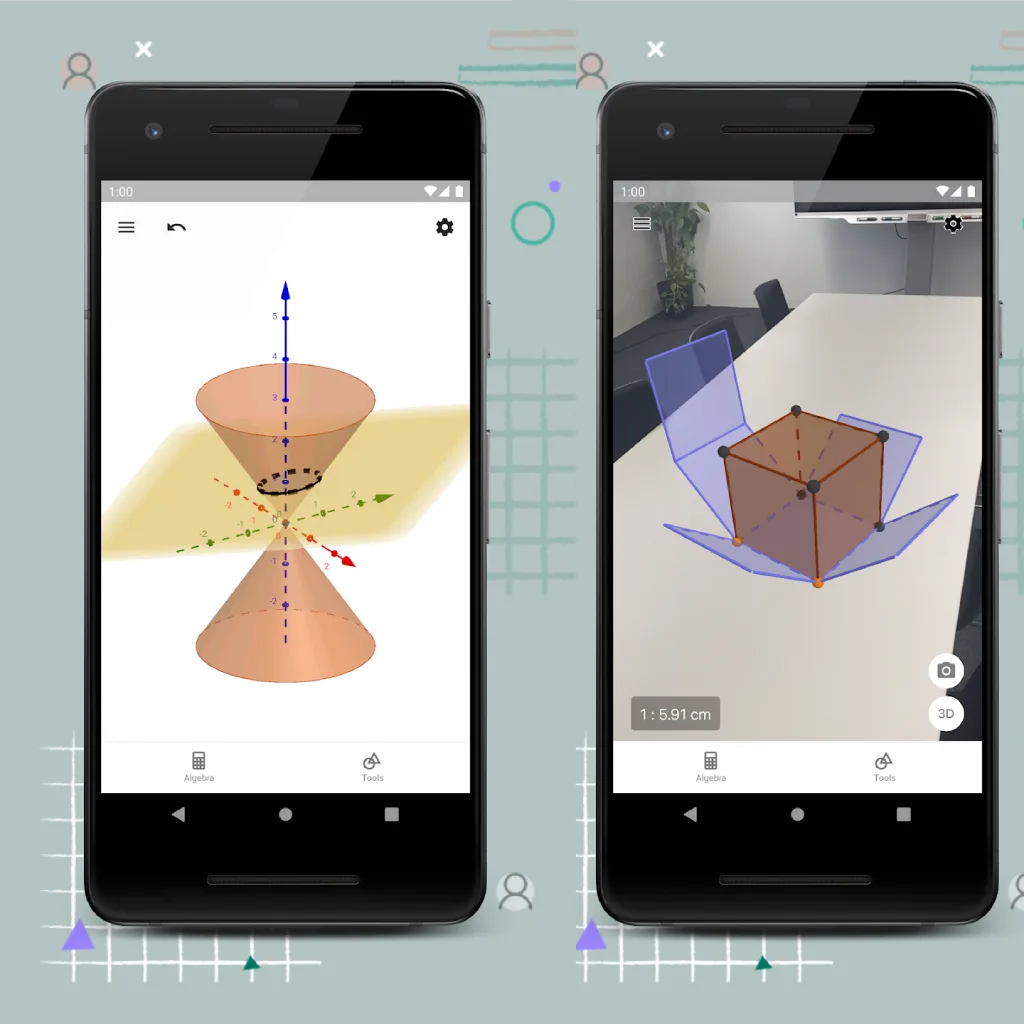
GeoGebra AR brings math to life by projecting 3D graphs and geometry figures onto physical surfaces. This app is ideal for visualizing abstract mathematical concepts, such as equations, transformations, and geometry problems.
- Best For: Middle and high school students
- Cost: Free
- Setup: Input equations and visualize them on desks or walls
8. Google Expeditions: Virtual Field Trips
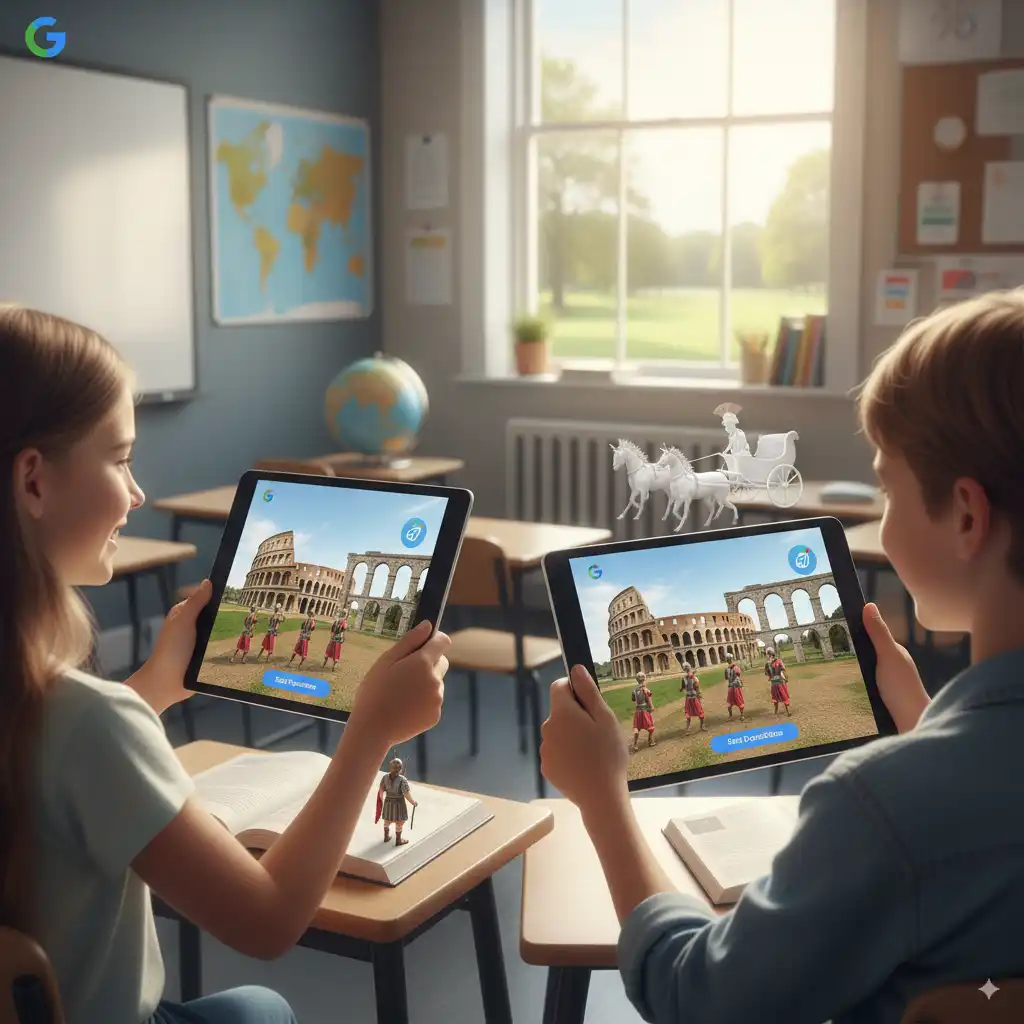
Google Expeditions allows students to take virtual field trips to historical landmarks, natural wonders, and even outer space. This app makes geography and history lessons more engaging by providing an immersive 360° experience.
- Best For: All educational levels
- Cost: Free
- Setup: Pair with a smartphone or VR headset for immersive experiences
9. Merge Cube: Hands-On Science Exploration

The Merge Cube is a tangible 3D cube that, when scanned with a smartphone or tablet, turns into an interactive 3D object. Perfect for subjects like anatomy, space exploration, and more, it allows students to manipulate and explore objects in real time.
- Best For: Middle and high school students
- Cost: $15–$20 per cube
- Setup: Use a smartphone to scan the cube and interact with 3D models.
10. Math Tricks AR: Enhance Numeracy Skills
Math Tricks AR helps students learn and practice essential math skills through interactive games and challenges. This app turns math problems into engaging activities by overlaying virtual objects onto the real world.
- Best For: elementary to middle school students
- Cost: Free
- Setup: Download and begin solving math puzzles in AR
11. Zappar: Personalized AR Learning
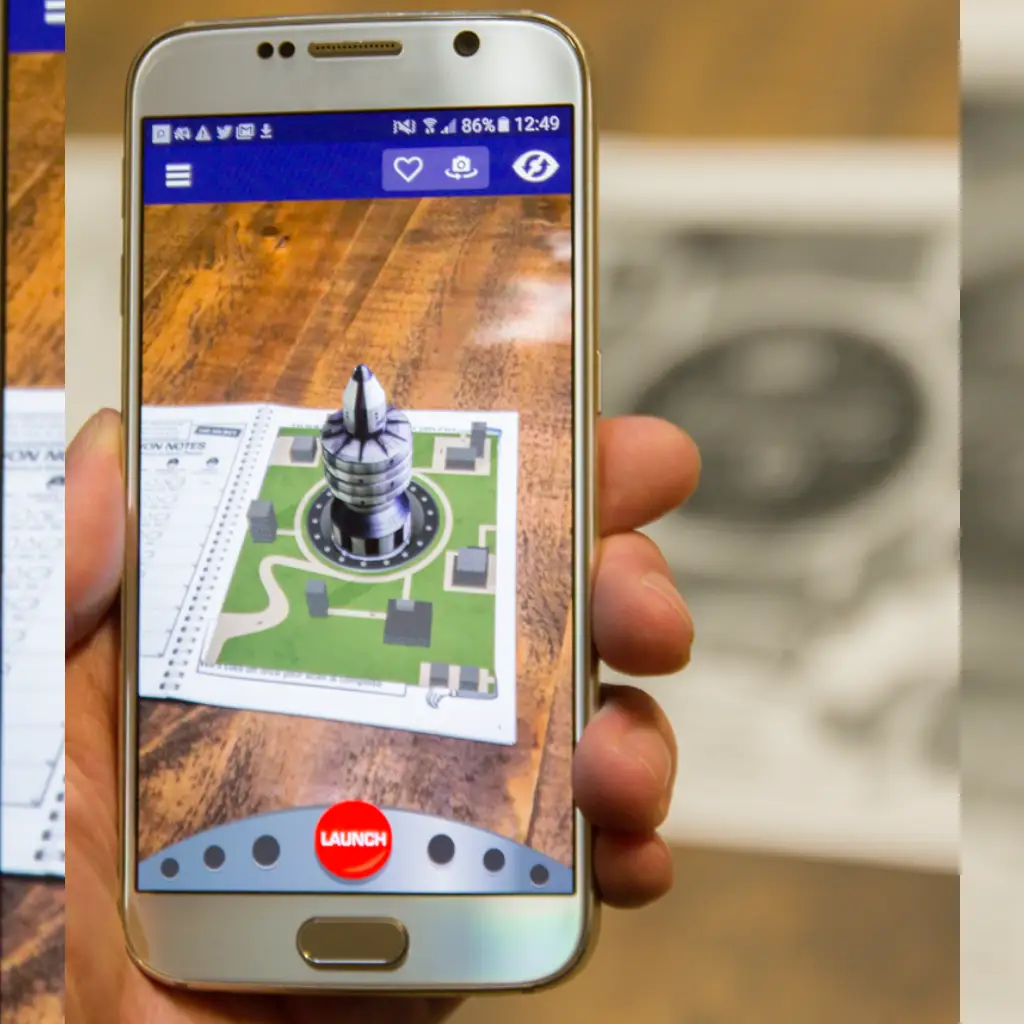
Zappar enables teachers to create personalized AR content for their students, enhancing engagement with tailored lessons. Whether it’s interactive textbooks, art exhibits, or history timelines, this app helps students visualize lessons in a new dimension.
- Best For: High school and college students
- Cost: Free basic version
- Setup: Scan custom triggers to activate learning materials
12. Open Brush AR: Artistic Expression
Open Brush AR allows students to create 3D art in real time, turning their classroom into a creative studio. Students can design sculptures, paintings, and interactive art pieces that they can view from all angles.
- Best For: High school and college students
- Cost: $19.99
- Setup: Requires AR headset (e.g., Oculus)
13. Merge Explorer: Empower Student Creativity
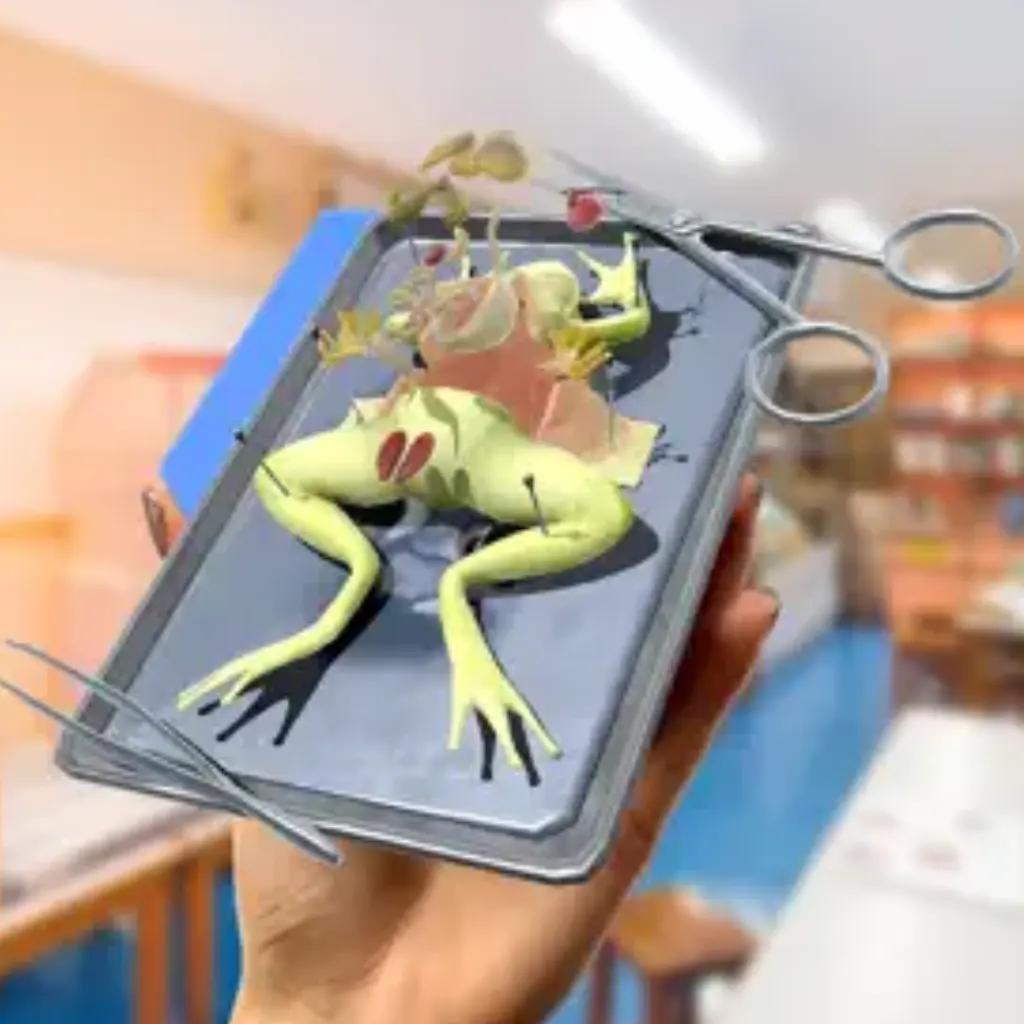
Students can create their own AR experiences with Merge Explorer and share them with their classmates or the larger community. This fosters creativity and allows students to take charge of their learning by producing interactive educational content.
- Best For: Middle and high school students
- Cost: Free
- Setup: Upload custom triggers and videos to create AR content.
14. MARVLS AR Chemistry Hands-On Learning

MARVLS AR Chemistry gives students a virtual chemistry lab where they can experiment with virtual chemicals and observe reactions safely. This app is a wonderful alternative to traditional lab experiments, saving time and resources.
- Best For: High school and college students
- Cost: Free basic version
- Setup: Select a virtual experiment and interact with the AR elements.
15. ARKI: Explore Buildings in 3D

ARKI lets students design and explore 3D models of architectural structures. This is a fantastic app for students interested in engineering, architecture, and design.
- Best For: High school and college students
- Cost: Paid
- Setup: Use the app to create and manipulate architectural designs in augmented reality (AR).
16. Arduino Science Journal: Experiment and Observe
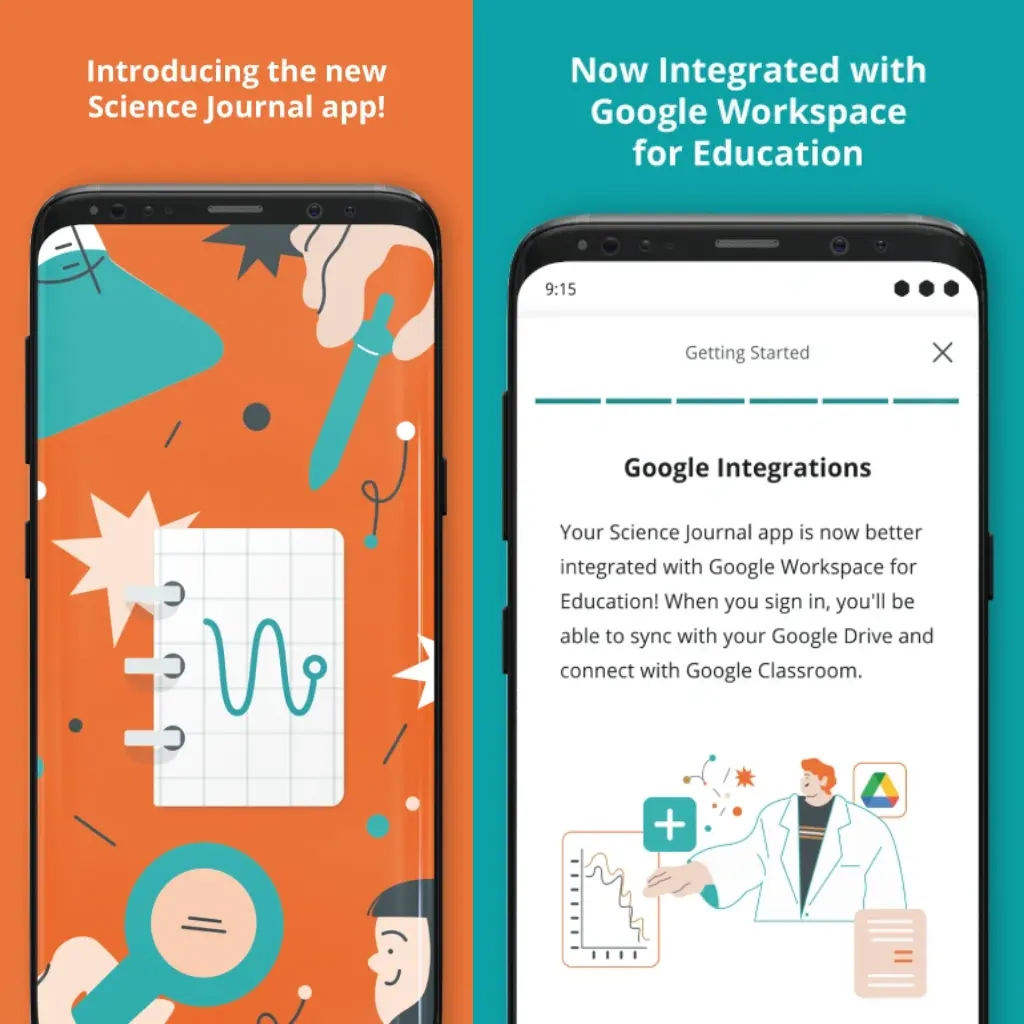
Arduino Science Journal is an excellent tool for students to observe, document, and share their science experiments using AR and sensors. This app helps students collect data and view it in real time, making science more interactive and enjoyable.
- Best For: Middle and high school students
- Cost: Free
- Setup: Use the app to track and analyze data from science experiments.
Why AR Apps for Students are Essential in 2025
As AR technology becomes more accessible, AR apps for students in 2025 are bridging the gap between theory and practice. These apps are enhancing student engagement, improving retention rates, and catering to different learning styles. Whether it’s through visualizations, gamified lessons, or hands-on experiments, AR is making learning more dynamic and impactful.
Benefits of AR in Education
- Engagement & Motivation: AR apps captivate students, making learning more exciting and interactive.
- Enhanced Comprehension: Complex concepts become easier to understand through 3D visualization and interactive experiences.
- Cost Efficiency: Reduces the need for expensive physical materials and enhances remote learning opportunities.
Challenges and Considerations
- Device Costs: High-quality AR devices like smart glasses and headsets can be expensive.
- Teacher Training: Teachers must undergo training to effectively integrate AR into their classrooms.
- Internet Connectivity: In areas with poor connectivity, AR apps may face performance issues.
FAQs
What are the best AR apps for Education?
The best AR apps for education in 2025 include
- Google Expeditions: Offers virtual field trips to historical sites, museums, and more, allowing students to explore the world from their classroom.
- Merge Cube: Lets students interact with 3D models of subjects like anatomy, history, and space, offering a hands-on learning experience.
- Elements 4D: A chemistry app that allows students to see how elements combine to form compounds and react with each other.
- GeoGebra AR: Projects 3D math graphs and geometric shapes onto surfaces, helping students visualize complex mathematical concepts.
- Quiver: An interactive coloring app that brings drawings to life in 3D, engaging younger students with subjects like biology and geography.
2. How can AR apps help teachers & students?
AR apps enhance teaching and learning by:
- Providing Immersive Experiences: Teachers can bring subjects to life, such as through 3D models, interactive simulations, and virtual field trips, increasing student engagement.
- Catering to Different Learning Styles: AR accommodates visual, auditory, and kinesthetic learners, offering personalized educational experiences.
- Simplifying Complex Concepts: Abstract ideas, like chemical reactions or mathematical graphs, can be visualized, making them easier for students to understand.
- Encouraging Active Learning: Instead of passive note-taking, students interact with the content, which helps reinforce learning and improves retention.
- Making Learning Fun: AR transforms traditional lessons into games or experiences that stimulate curiosity and excitement.
3. What is the best Augmented Reality app for kids?
Quiver is one of the best AR apps for kids. It allows children to color pages that come to life in 3D, helping them interact with subjects like anatomy, geography, and science in an engaging and educational way. Other great apps include Leo AR, which provides interactive learning experiences, and Math Alive, designed for younger learners to practice basic math concepts.
4. What can kids learn from the Leo AR education app?
The Leo AR education app offers an interactive learning experience for kids, focusing on subjects like
- Mathematics: Basic arithmetic and geometry through fun, engaging AR experiences.
- Science: Concepts like the human body, the environment, and the solar system are made tangible with interactive 3D models.
- Literacy: By interacting with characters and vocabulary in AR, Leo AR uses stories and words to enhance children’s language skills.
- Problem-Solving: The app encourages children to think critically and solve puzzles through AR-based learning activities.
5. How do augmented reality apps improve classroom learning?
AR apps improve classroom learning by:
- Increasing Engagement: Students become more involved in lessons when they can interact with 3D objects or go on virtual field trips, making learning more dynamic.
- Enhancing Retention: Studies show that AR increases student retention rates by up to 30%, as it allows them to experience and manipulate what they’re learning.
- Supporting Diverse Learning Styles: AR can cater to different learning preferences (visual, auditory, and kinesthetic), ensuring all students can access the material in a way that suits them.
- Improving Collaboration: Many AR apps promote teamwork by encouraging students to work together in solving problems or exploring content.
- Providing Real-World Context: By overlaying digital information onto the real world, AR connects theoretical knowledge to real-life applications, deepening understanding.
6. Why should students use AR?
Students should use AR because:
- Interactive Learning: AR engages students in a hands-on way, allowing them to explore and learn through direct interaction with 3D models, simulations, and virtual environments.
- Deeper Understanding of Complex Subjects: AR helps visualize complex ideas, such as abstract math problems or scientific concepts, making them easier to grasp.
- Increased Retention: Interactive and immersive AR experiences help improve memory retention, as students learn by doing rather than just reading or listening.
- Motivation and Fun: AR turns learning into an enjoyable experience, motivating students to participate and stay engaged with lessons.
- Future Skills: Using AR helps students build essential tech skills that will be valuable in future careers, as AR technology becomes increasingly prevalent in various industries.
Conclusion
The best AR apps for students in 2025 are more than just tools for fun. They are essential educational aids that enhance learning, boost student engagement, and prepare learners for the tech-driven future. By integrating AR apps into classrooms, educators can offer more personalized, engaging, and impactful learning experiences. As AR technology continues to evolve, we can expect even more innovative applications to enhance education across various fields, from science to art. Whether you’re teaching in a traditional classroom or facilitating remote learning, AR apps for students are invaluable tools that can bring your lessons to life.